
What Is a 3D Avatar Social Network? Explained (2026)
What a 3D avatar social network is, why people choose avatars over photos, what to look for in an app, and how iS Gather uses 3D avatars on a live map to meet people nearby.

On this page
- What is a 3D avatar social network?
- Why avatars instead of photos?
- Three kinds of avatar app
- What should you look for in a 3D avatar social app?
- How Gather uses 3D avatars
- Is a 3D avatar social network for dating?
- Questions people ask
- A short history: from game characters to social avatars
- Things to keep in mind
- Who is a 3D avatar social network for?
- Where to go next
A 3D avatar social network is a social app where people are represented by animated three-dimensional characters instead of flat photos or text handles. This article explains what that means, why the format is growing, what to look for, the safety questions worth asking, and how iS Gather uses 3D avatars on a live map to make meeting people nearby feel natural.
What is a 3D avatar social network?
In a traditional social network you are a username and a profile picture. In a 3D avatar social network you are a character. That character has a body, can be dressed, and can move through a shared space such as a map, a room or a city. Other people see your avatar when you are around, and you see theirs.
The idea is not new in games, where players have always used characters. What is newer is bringing the same visual language to everyday social apps, where the goal is not to win a game but to see who is around, say hello and keep in touch.
Why avatars instead of photos?
There are a few practical reasons the format appeals to people.
- Self-expression without a camera on you. You choose hair, skin tone, outfits and accessories, so your character can feel like you without being a photo of your face.
- A friendlier first impression. A character makes a quiet, low-pressure introduction. Nobody is judging a photo.
- Presence you can see. When the avatar walks or stands still, the space looks lived in. A grid of thumbnails cannot show that.
- Flexible privacy. You can be recognisable to friends and still keep your real face off a public screen.
None of these are guarantees. Each app decides what it collects and shows, so always read the privacy policy of the app you choose.
Three kinds of avatar app
| Kind | Where your avatar is | Who you meet | Examples |
|---|---|---|---|
| Virtual world | Rooms or worlds built inside the app | People anywhere | IMVU, Second Life, Highrise |
| Avatar content app | A feed of photos and clips | Your audience | ZEPETO |
| Social map | A live map of your real city | People nearby, by choice | iS Gather |
A 3D avatar social network can be any of the three; the difference is what the avatar stands in. Our IMVU comparison and virtual world apps round-up go through the first kind in detail.
What should you look for in a 3D avatar social app?
If you are comparing apps, these questions help.
Can you control who sees you?
Look for simple visibility choices that you can change at any time. In iS Gather you can be Public, visible to Friends, or Private.
Can you block and report?
A social app should let you block someone and report problems quickly, from profiles and from messages.
Is there an age rule?
Reputable apps state a minimum age. iS Gather is for people aged 16 and over.
Does it work on your devices?
Check for iOS, Android and web support so you can use the same account everywhere.
Is the avatar easy to make?
Good experiences let you build your avatar in a few minutes from a selfie and refine it by hand. If you want the technical background, read image to 3D realistic avatar: how it works.
How Gather uses 3D avatars
iS Gather, made by Transcend Technologies, Inc. (iSocialize), is a location-based social app for meeting real people nearby. Its main screen is a live 3D map. Here is how avatars fit into it.
You appear as your own character
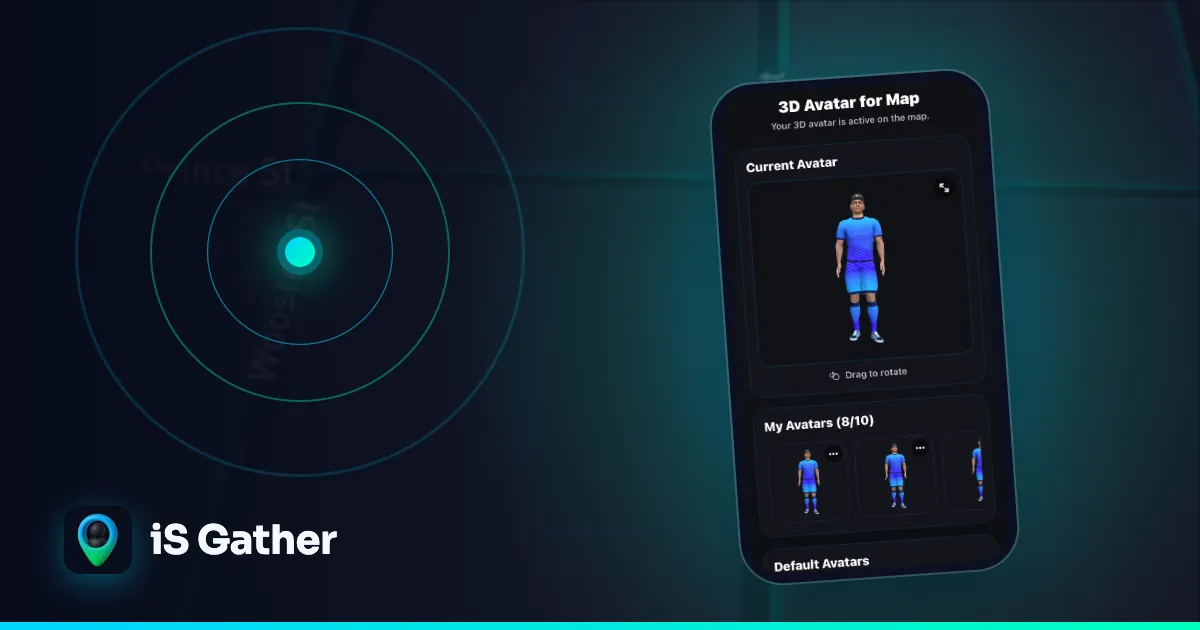
You create your 3D avatar in the app from a selfie, then customise hair, skin, outfits and accessories. The avatar is yours across the map, chat and profile.
The map shows who is around
Open the live map and you see other people nearby as avatars. Your own avatar stands, walks or runs depending on your real speed, so the map reflects what is happening around you.
Starting a conversation is one tap
Tap someone's avatar to open their profile. From there you can send a one-tap ice breaker, a ready-made opener that removes the awkwardness of a cold first message, or write in chat.
You decide what is visible
Visibility has three settings: Public, Friends and Private. You can change them whenever you want. iS Gather also has block and report tools on profiles and messages.
There is more than the map
The app also includes a short-video feed, so you can watch and share short videos alongside the map experience. You can browse public videos on the video feed.
Is a 3D avatar social network for dating?
No. iS Gather is for meeting people nearby and making friends, not for dating. The avatar and the map exist to make it easier to see who is around and say hello. If you want to explore friendship-first options, see apps to meet people nearby.
Questions people ask
What is a 3D avatar social network, in one sentence?
It is a social app where you and other people are shown as animated 3D characters, usually on a map or in a shared space.
How is it different from a normal social app?
You browse people as characters in a place rather than scrolling photos in a list, and what you see is tied to where people are.
Do I have to share my exact location?
No. Visibility settings let you choose who can see you, including setting yourself to Private. See the FAQ for details.
How do I make an avatar?
Create it from a selfie in the app and then customise it. The image to 3D avatar guide explains the general steps.
Where can I get iS Gather?
On the iOS App Store and Google Play, and on the web at isgather.com. The install page has the links.
A short history: from game characters to social avatars
Characters that stand in for people are as old as video games, and virtual worlds in the 2000s let people dress and move an avatar through shared spaces. For a long time those avatars lived in games and virtual worlds, apart from the apps people used to talk to friends. As phones gained better cameras, faster processors and good 3D graphics, it became practical to build an avatar from a selfie and show it inside ordinary social apps. That is the shift behind the 3D avatar social network: the character is no longer limited to a game, it becomes part of how you are seen day to day.
Things to keep in mind
- Your avatar is public-facing. Treat it like a profile photo. Pick a look you are comfortable with others seeing.
- Check visibility often. If you want to take a break from being seen on the map, switch to Private.
- Meet sensibly. If you decide to meet someone you talked to in an app, choose a public place and tell a friend. This is good advice for any social app.
- Report problems. Use the block and report tools if someone makes you uncomfortable; moderators review reports.
Who is a 3D avatar social network for?
People who like the idea of seeing their surroundings through a social lens: a student new to a city, someone who moved for work, a person who simply wants to know whether anyone interesting is around the neighbourhood. Because the experience is visual and gentle, it suits people who find a cold message hard to write. The ice breaker feature exists for that reason: you tap a prompt instead of staring at an empty text box.
Where to go next
Open the live map to see how avatars look in a real place, read the map-based social app guide, compare iS Gather with IMVU or browse the IMVU alternatives list, and find more articles on the iS Gather blog. The full pillar, 3D avatar social network: how avatars work on a live map, goes deeper on the avatar itself.
- #3D avatar social network
- #avatar social app
- #social map app
- #meet people nearby
- #iS Gather
Keep reading
- Comparison
iS Gather vs IMVU: 3D Avatar Social Apps Compared (2026)
IMVU is a virtual world of avatar chat rooms; iS Gather puts a 3D avatar on a live map of your real city. A dated, sourced comparison of the two models, with a side-by-side table.
 3D avatars
Image to 3D Realistic Avatar: How It Works
How a selfie becomes a 3D avatar: face landmarks, a fitted 3D head, skin tone, hair, a rig for movement, plus tips for a good result and how iS Gather uses avatars on a live map.
- Comparison
Virtual World Apps in 2026: Second Life, IMVU, Highrise and the Social-Map Alternative
The main virtual world apps compared (Second Life, IMVU, Highrise, Avakin Life, Rec Room, VRChat, ZEPETO), what they are good at, and when a social map of your real city is the better fit.