See your friends on a map and share only when you want
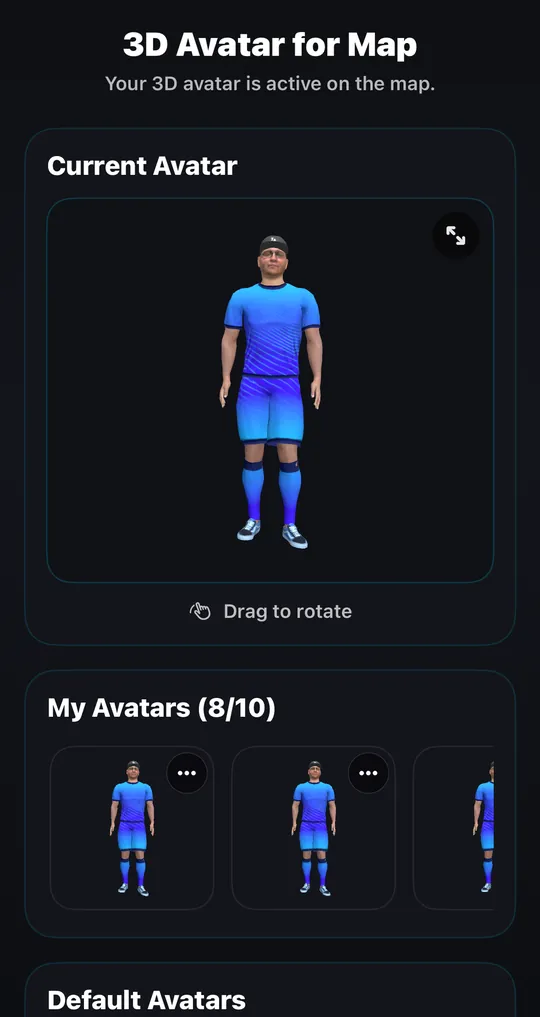
iS Gather puts your friends on a live 3D map as avatars, so you can see who is around and say hi with one tap. You choose whether everyone, only your friends, or nobody can see your location, and you can change that at any time.
Updated



Who can see me on the map?
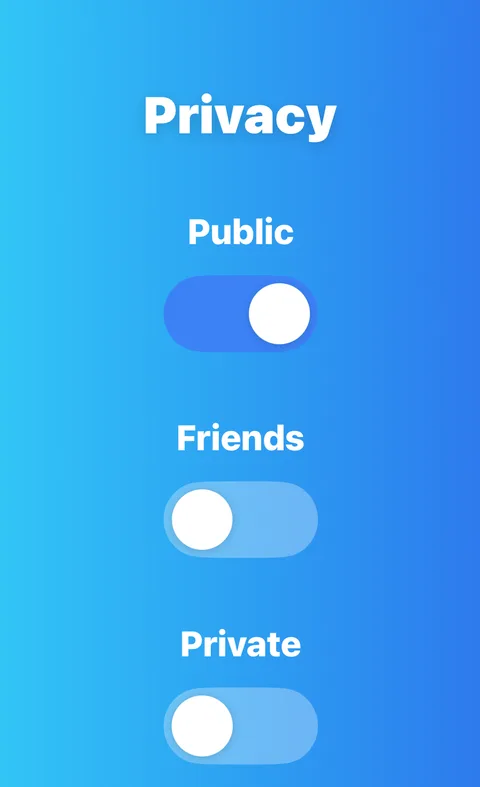
A new account starts as Public unless you choose otherwise. The sign-up flow asks how you want to appear (Public, Friends Only or Ghost Mode) and waits for your choice.
- Public: everyone using the map can see you.
- Friends Only: only the people you have accepted as connections can see you.
- Ghost Mode: nobody can see you, and you can still see your friends and public users.
Only connections you have accepted see your exact position. Everyone else who can see you gets an approximate one, rounded to roughly one kilometre.
To change it, open the privacy control on the map (or Settings, then Privacy) and pick Friends Only or Ghost Mode. It applies at once.
How to set up a map of your friends
Install iS Gather on iPhone or Android, or open isgather.com. Create your account, make your 3D avatar, and connect with your friends by searching their username or sending a request. Then open Privacy on the map and choose Friends Only. Your friends need an account and have to accept the connection before they appear.
From then on the map shows your connections as avatars, and each friend sees you only if their own settings allow it. Tap an avatar to write a message, send an ice breaker or open the profile.
Share only when you want: how the modes work
Friends Only lets your connections see you and nobody else. Public lets everyone on the map see you. Ghost Mode stops all location sharing and removes you from the map and from nearby lists, while you can still see your friends and public users. Switching modes is immediate.
Sharing is optional. You can clear your stored location in Settings, then Privacy, and you can block or report anyone from their profile.
What happens to your location data
According to our Terms, your most recent coordinates are stored on your profile while your account is active, and we do not sell your location data. Deleting your account removes the associated location data within 30 days.
Connections you have accepted see your exact position; everyone else who can see you gets an approximate one, rounded to roughly a kilometre.
Plans, places and the rest of the map
A friends map is more useful when it knows where things happen. iS Gather also lists events in supported cities, has city pages, and lets people post short videos with a place. It is a social map, not a family tracker, so it does not replace tools built for that job.
A friends map in iS Gather compared with typical location-sharing apps
| What you care about | iS Gather | Typical friend-location app |
|---|---|---|
| Who sees my location | Everyone, friends only or nobody, your choice | Usually the friends you approve |
| Hide for a while | Ghost Mode, one switch, takes effect at once | Varies; some offer pause, blur or freeze |
| Look of the map | Live 3D city with customizable avatars | Usually icons on a flat or 3D map |
| Selling location data | We do not sell it (Terms) | Varies; check the store privacy label |
| Price and devices | Free; iPhone, Android and web | Varies |
Checked on 2026-11-19 against the iS Gather app, its FAQ and its Terms (location data section). The right-hand column describes the category in general; check any app's own settings before you rely on it.
Battery, cost and who runs it
| Battery | We have not measured battery use, so we give no numbers. Position updates are filtered so your dot does not jump, and Ghost Mode stops location sharing. |
|---|---|
| Cost | Free to download and use. Nothing in the app has to be paid for in normal use today. |
| Who runs it | Transcend Technologies, Inc. (iSocialize), Wilmington, Delaware, USA. Contact: info@isgather.com. |
| Age and devices | For people aged 16 and older. iPhone, Android and the web. |
| Blocking and hiding | You can block and mute people and report profiles, posts and messages. Ghost Mode hides you from everyone. |
| Signing up | You sign up with a username, an email address (or Google) and a date of birth. No phone number and no real name are asked for. |
| Data and privacy contact | Data can be processed in the United States and other countries (Privacy Policy, section 10). Privacy questions: info@isgather.com. |
Questions people ask
- How do I see my friends on a map?
- Install iS Gather, make your avatar, connect with friends and open the map. Friends who are connected and visible appear as avatars.
- Can my friends see me all the time?
- Only if your mode allows it. In Friends Only your connections can see you, in Public everyone can, and in Ghost Mode nobody can. Switch at any time.
- How do I hide my location?
- Turn on Ghost Mode in the Privacy controls on the map or in Settings. You disappear from the map and from nearby lists, and you can still see your friends.
- Do my friends need the app?
- Yes. They need an iS Gather account and must accept your connection. It works on iPhone, Android and the web, so different phones are fine.
- Does iS Gather keep my location history?
- Your latest position is stored while your account is active, per our Terms. You can clear your location or delete your account.
- Is it free and who is it for?
- It is free to download and use, and it is for people aged 16 and older.
Get iS Gather
Install it on iPhone or Android, or open it in your browser. Creating an account and your avatar takes a minute.